Description
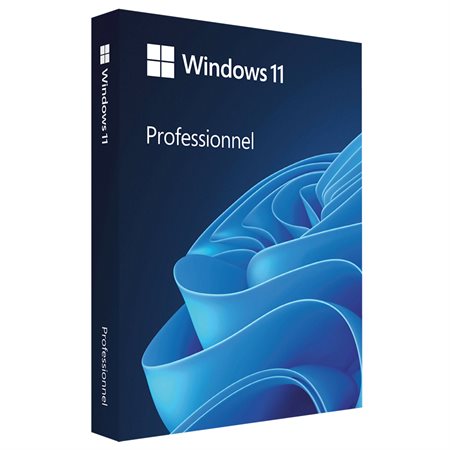
Secure your key for Windows 11 Professional OEM at 12.08 $. This premium digital release enhances system workflow setup. Acquired under strict evaluation, this untouched file stands out. Our zero-delay pipeline provisions your product after checkout. Unlock Windows 11 Professional OEM now at 12.08 $. Bypassing retail markups directly, we deliver pristine materials. This official retail build ensures stable framework execution. Validated codes dispatch via our automatic fulfillment engine. Bypassing retail markups directly, we deliver pristine materials. This official retail build ensures stable framework execution. Our automated framework guarantees instant post-checkout delivery.Acquire Windows 11 Professional OEM today for only 12.08 $. Validated codes dispatch via our automatic fulfillment engine.
– This key cannot be used to change the system version from Home to Professional.
– This key can be used only once per PC/motherboard.
– We suggest using the automated phone system in order to activate your code.
Buy cheap Windows 11 Pro OEM product key
Microsoft Windows 11 Pro has been with us for quite a few years, so you may wonder if it’s worth switching over from the older system. If you have a prior version of Windows installed, there are a dozen of things you’re missing out on. A new interface, updated apps, and security fixes are just examples of the changes incorporated into Microsoft’s new system.
Windows 11 Pro vs Home vs Enterprise
Unlike Windows 10, Windows 11 has released three versions: Pro, Home, and Enterprise. As the names suggest, Pro is for demanding users, Enterprise is for big companies, and Home is for home use.
Windows 11 – Most Notable Changes
These changes apply to both Home and Pro versions.
New Look and User Interface
Windows 11 introduces a refreshed, more modern, and intuitive interface. The taskbar, notification center, Start menu, and other interface elements have been redesigned, giving them a more simplified and minimalist look. Microsoft calls it Fluent Design graphics. In addition, the new operating system also offers centralized icons on the taskbar and a centralized Start menu (customizable), with instant access to Microsoft Store, Microsoft Edge browser, and more.
Multitasking Improvements
Windows 11 introduces the Snap Layouts feature, allowing you to organize open applications on the screen easily. Customizing and organizing different windows and programs is easier than ever before. In addition, Snap Groups allows you to store sets of applications, making it easier to switch between them.
Windows Security
Windows Defender has come a long way, and Windows 11 is even better than the previous system in this regard. Now, its performance is on par with third-party antiviruses, and thanks to Windows Information Protection, you don’t have to worry about any data leakage.
Pro vs Home Version: Which is Best for Gaming?
When it comes to gaming, both the Pro and Home versions will work well here. Windows 11 Pro and Home have the Xbox Play Anywhere – just buy one copy to enjoy the same game on your PC and Xbox console!
For learning and multimedia, it’s best to go for the cheaper option, Windows 11 Home. The system is advanced enough to handle any home challenge with confidence.
In the case of a home office or business solution, the most optimal choice will be Windows 11 Pro – mainly because of the dedicated business features that are not present in the Home version. These include, in particular, Bitlocker, WIP, or support for Active Directory and Azuka Active Directory and, of course, regular updates for businesses.
Is It Worth Upgrading to Windows 11?
Windows 11 focuses on a redesign but also introduces several changes to multitasking. This makes working with several applications much simpler and more enjoyable. New features, stable operation, and improved performance are arguments that are hard to pass by. Of course, nothing’s perfect, but thanks to Windows Update, the system is getting better and better each month.
- To download Windows 11 visit this page : https://www.microsoft.com/en-us/software-download/windows11
- During installation, you’ll be prompted to enter a product key. Or, after installation, to enter the product key, select the Start button, and then select Settings > System > Activation.
- If you encounter any errors during activation process, check this troubleshooter : https://support.microsoft.com/en-us/windows/get-help-with-windows-activation-errors-09d8fb64-6768-4815-0c30-159fa7d89d85









































Reviews
There are no reviews yet.