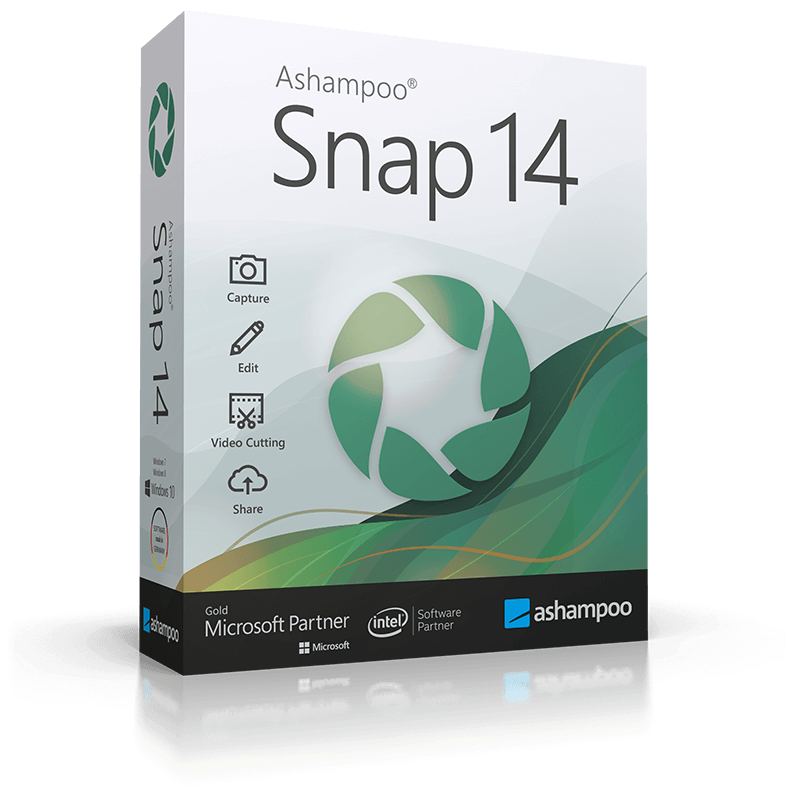
Description
Secure your key for Ashampoo Snap 14 Key (Lifetime / 1 PC) at 3.22 $. This certified product grants full access without restrictions. Bypassing retail markups directly, we deliver pristine materials. Validated codes dispatch via our automatic fulfillment engine. Unlock Ashampoo Snap 14 Key (Lifetime / 1 PC) now at 3.22 $. Acquired under strict evaluation, this untouched file stands out. This premium digital release enhances system workflow setup. Our zero-delay pipeline provisions your product after checkout. Sourced via authorized wholesale channels, safety is fully guaranteed. This premium digital release enhances system workflow setup. Expect fast delivery sequences right onto your active monitor.Acquire Ashampoo Snap 14 Key (Lifetime / 1 PC) today for only 3.22 $. Unique credentials populate your customer dashboard area 24/7.
Save time and screen-capture information instantly
With Ashampoo Snap, capturing screenshots or videos almost feels like magic! Anything you see on your screen is faithfully captured along with numerous smart settings. The built-in editor takes care of post-processing and file management. But Snap also gives you multiple tools to make your screenshots more meaningful: Auto-numbering, comments, shapes, cliparts and other items help you tell your story visually and in style! Whether you’re working from home, quickly need to explain a procedure or plan to create an entire tutorial, Snap has got the tools you need!
- Fully Windows 11 compatible
- Brand-new image editor
- Simplicity meets power: new user interface
- Excellent video quality up to 4K
- Enhanced audio quality with higher bitrates
- Toggleable toolbar labels
- Completely revised recording area
- Multi-purpose capture tool for rectangular areas, entire and scrollable websites
- Animated, well-arranged user interface
- Modern newly-designed editor
- Important options directly in the recording area
- New well-laid-out settings dialog
New heart, new soul
The image editor has always been at the core of Ashampoo Snap, as it provides all the tools to annotate, illustrate and polish your screenshots with comments, arrows, cliparts and effects. For Ashampoo Snap 15, it has been completely remade! We wanted to provide you with a streamlined, highly functional and fuss-free design that gets the job done without distractions–and we believe we’ve succeeded! See for yourself and experience a level of visual clarity and intuitive handling that you’ve never seen before in a screenshot editor!
A winning concept
Balancing simplicity and functionality is an enternal struggle. After all, what good is a software that is super easy to use but barely offers the most mundane of features? Snap’s new image editor manages to offer simple handling while retaining the powerful feature set that defines our Snap line of products. Optimized workflows and favorites for quick feature access help you achieve your goals free from distractions and mouse acrobatics. Even if you’ve never used Snap before, you’ll be working productively within minutes. Visualize and communicate your thoughts and ideas in style and turn a thousand words into a single picture!
Indispensable home office companion
Ashampoo Snap is the perfect tool to augment your home office work with screenshots and videos. Whether inhouse or frontline, Snap makes your communication faster, more efficient and more meaningful. Proposals, discussions or explanations all benefit from a more visual approach. It’s “show, don’t tell” for a reason! Capture anything you see on your screen and drive the message home with annotations, cliparts and effects. Video capturing, editing and sharing is also fully supported. With no steep learning curve or hardware requirements, Ashampoo Snap is the tool to take your communication to the next level!
At home and in the office: Get to the point more quickly
Ashampoo Snap makes screen and video captures easier than ever before. Work faster, smarter, and be more productive with 1-click actions. Boost your creativity with versatile design options and benefit from the new streamlined image editor. Create screenshots and with pixel-precision quickly and accentuate your projects with annotations, arrows, shapes, and cliparts. Highlight issues or points of interest visually in your documents and ignite your readers’ creativity with clever combinations of texts and images. You won’t believe how quickly Ashampoo Snap will boost your productivity and become a fixture in our daily work!
Smart desktop capturing and sharing
Once active, Snap’s magic eye auto-detects elements below your mouse pointer (browser windows, program menus, images, etc.) and offers instant 1-click capturing with pixel precision. But it doesn’t stop there: Snap can also capture custom rectangular or freehand regions and even supports scrolling content! Naturally, the program supports all possible kinds of sharing options, including email and Ashampoo Webspace!
Optical character recognition (OCR) for your screenshots
The multi-lingual OCR built into Ashampoo Snap is particularly handy. It supports seven world languages and allows you to convert any image-based text into real computer-editable text at the click of a button. Stop manually copying text and digitize your documents today!
Fast and easy video cutting
Not every video recording is an instant success. Ads, extra steps or pauses are a frequent bother. The same applies to screen captures. Keep the important bits and get rid of the rest with Ashampoo Snap! Remove ads, glitches or superfluous scenes or split your video into individual episodes. It doesn’t matter whether you’re casually pointing and capturing, creating an extensive webinar or producing a high-quality presentation: With Ashampoo Snap, every video capture comes out a success!
Create videos for any purpose
Creating instructional videos or documentaries is a breeze with Ashampoo Snap. Recordings are live-annotable with texts, drawings and voice narration. Clear things up with visualized mouse clicks and key strokes and add watermarks to protect your intellectual property. Take it to the next level and add live feeds from your webcam in a single click. Here’s your ticket to create engaging tutorials, prepare instructive webinars and to point the way to the things that matter most to you–literally!
Perfect for different screen resolutions and multi-display environments
Ashampoo Snap fully supports multi-display setups, even with different resolution and DPI combinations, e.g. mixed Full HD and 4K environments. Each display is captured at its individual resolution for maximum crispness and results are instantly editable. And once you’re in the editor, it’s smooth sailing for beginners and professionals alike!
Create GIFs from any video
What would the internet be without those charming GIF animations? But GIFs can also be used in tutorials or demonstrations to great effect. Ashampoo Snap can turn any video segment into GIFs. Just set the start and end positions, fire up the built-in converter and you’re done!
More than a snipping tool: extensive comfort features
Ashampoo Snap does most of the heavy lifting for you. Automatic numbering or time-delayed captures will help you make the most of your shots. Freely annotate your captures with texts and drawings or use flood fills. Put the spotlight on individual portions, blur sensitive data and use the highlighter to direct attention in style!
Capture desktop contents and save videos or images from the internet
The Internet is brimming with fascinating images, texts and videos. Ashampoo Snap makes it easy to capture what you like! Save image and videos and edit them on the fly and to your liking! Anything you see on your screen, or hear through your sound card, Snap can capture!
Create screenshots quickly and with great flexibility
Capturing and editing screenshots is child’s play with Ashampoo Snap. From entire desktops to small screen segments, scrolling web sites to single passages: Everything is only a single click away! Use time to your advantage and create time-delayed screenshots or capture contents with pixel precision. Ashampoo Snap is the screenshot program that does it all: intuitive handling + high-performance features!
Take full-quality screenshots of your video games
Ashampoo Snap takes perfect screenshots of your games, even in fullscreen mode. Capture your epic 2D and 3D fullscreen adventures in resolutions up to 4K. Preserve your greatest triumphs, highscores and player highlights forever!
- Open the software’s official website
- Download the free version
- Activate the received code on installed software























































Reviews
There are no reviews yet.